Android
A TTLock app that plays nicely with Android
Android's permission model and per-manufacturer battery management can quietly break lock apps in the background. Smart Lukko is built to work within those constraints across a wide range of Android phones.
Everything on your Android device
Smart Lukko brings the full TTLock feature set to Android in one app.
Passcodes
Generate one-time, temporary or recurring passcodes for guests and staff, no eKey required.
eKey sharing
Share a digital key from your Android phone with time limits and revoke access instantly.
Access log
See every unlock event—who opened the door, from which key, and when—in one list.
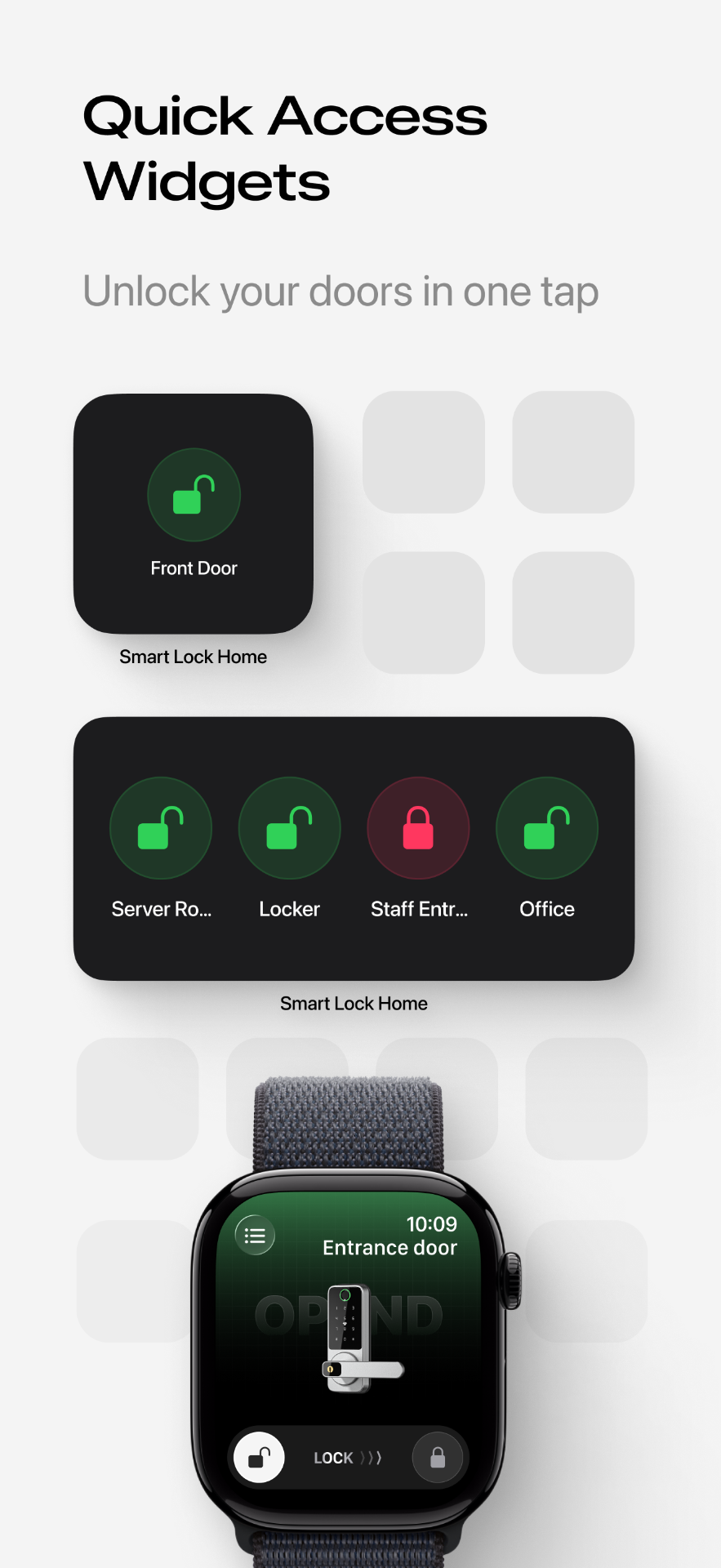
Home screen widget
Add the Smart Lukko widget to your Android home screen and unlock without opening the app.
Remote unlock via gateway
With a TTLock Wi-Fi gateway near the lock, unlock and check status over the internet, not just Bluetooth.
Notifications
Get a notification whenever the door is unlocked, even when Smart Lukko is closed in the background.
Why Android asks for these permissions and settings
TTLock locks connect over Bluetooth Low Energy, and Android's permission system ties Bluetooth scanning to two things Smart Lukko has to ask for.
Location / Nearby devices: Android requires Location permission (or Nearby devices on Android 12 and newer, when configured without location) before any app can scan for Bluetooth peripherals such as your lock. Smart Lukko uses this purely to discover and connect to locks—it does not track or store your location history.
Battery optimisation exclusion: Android manufacturers often restrict background apps to save power, which can delay unlock notifications or drop a gateway connection. Excluding Smart Lukko from battery optimisation, or allowing it to run in the background, keeps remote unlocks and alerts reliable.
Because Android runs on phones from many manufacturers, exact wording for these settings can vary—Smart Lukko links to the right settings screen for your device wherever possible.
How to get started
- 1
Install Smart Lukko from Google Play and open it on your Android phone.
- 2
Grant Location/Nearby devices permission when prompted, then add your TTLock lock over Bluetooth.
- 3
Exclude Smart Lukko from battery optimisation and add the home screen widget for one-tap unlocking.
Frequently asked questions
- Which Android phones does Smart Lukko support?
- Smart Lukko supports a wide range of Android phones and tablets from different manufacturers, running recent versions of Android with Bluetooth Low Energy support.
- Why does Android ask for Location or Nearby devices permission?
- TTLock locks communicate over Bluetooth Low Energy, and Android requires apps to hold Location permission (or, on newer Android versions, the Nearby devices permission) before they can scan for Bluetooth peripherals. Smart Lukko needs this to find and connect to your lock—it does not use it to track your whereabouts.
- Why does the app ask to be excluded from battery optimisation?
- Many Android manufacturers aggressively kill background apps to save battery, which can stop the app from receiving unlock notifications or keeping a gateway connection alive. Excluding Smart Lukko from battery optimisation lets it stay responsive for remote unlocks and alerts.
- Do I need a gateway to unlock with Android?
- No. Bluetooth unlocking works directly between your Android phone and the lock. A Wi-Fi gateway is only needed for remote unlocking, sharing keys, or checking status when you're away from the lock.
- Is Smart Lukko free on Google Play?
- Yes, Smart Lukko is free to download from Google Play. It works with locks built on the TTLock platform from various lock manufacturers.
- Can I use Smart Lukko on a tablet?
- Yes, as long as the tablet runs a supported version of Android and has Bluetooth Low Energy hardware, it can run Smart Lukko and manage your locks.
Smart Lukko is an independent app for locks using the TTLock platform. TTLock is a trademark of its respective owner; we are not affiliated with or endorsed by it. Need help? Visit support.