Home screen widget
Stop fumbling to open the app just to unlock the door
Arms full of groceries, phone in your pocket — opening an app, finding the lock, and tapping unlock takes too long when you're standing at the door.
Smart Lukko's widget puts a single unlock button on your iOS or Android home screen, so one tap is all it takes.
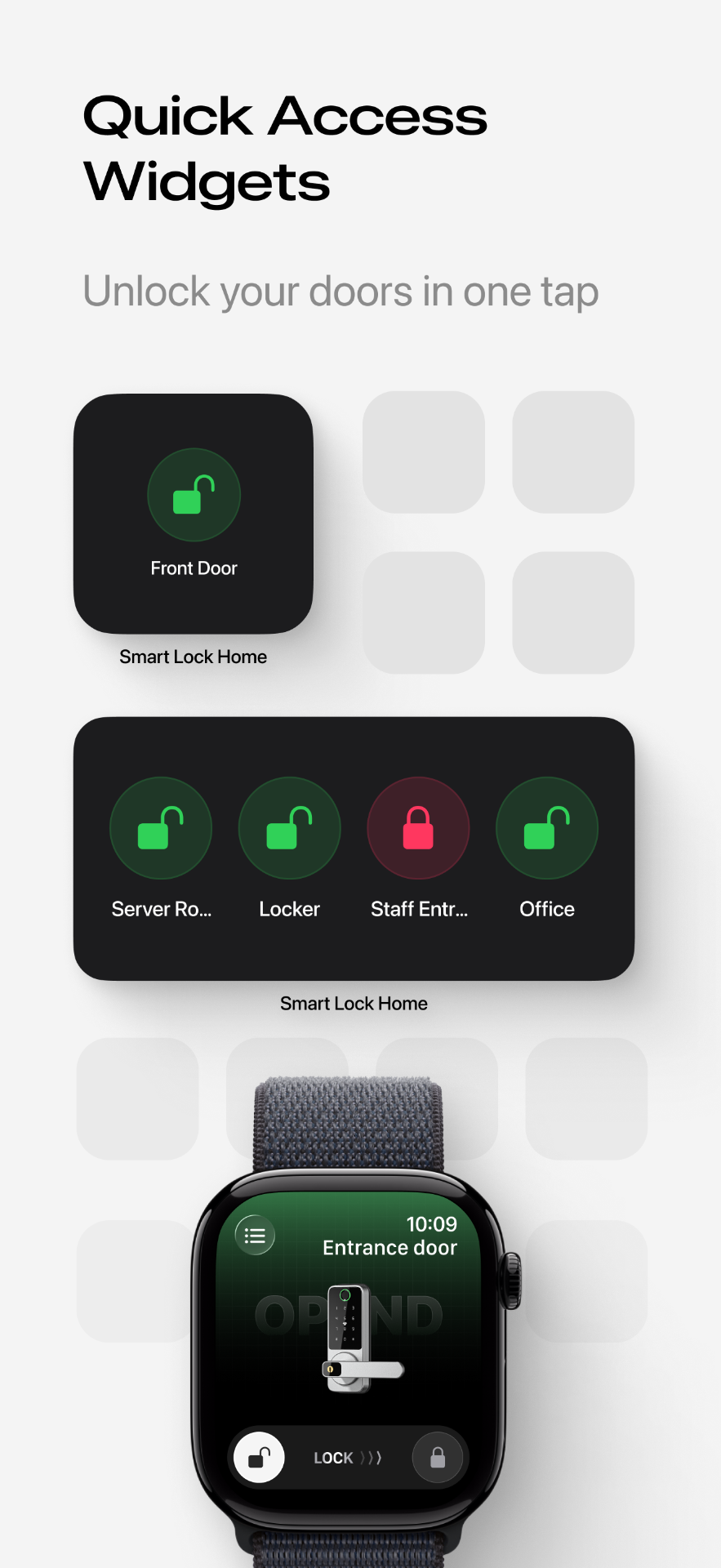
One tap, on either platform
Add the Smart Lukko widget to your home screen — on iOS through the standard widget gallery, on Android via widgets or, on supported devices, a lock-screen shortcut. Pick the lock it should control, and it stays there as a single tap-to-unlock button, no need to open the app, find the right lock, and tap unlock inside it.
iOS home & lock screen
Add it from the widget gallery to your home screen; newer iOS versions also support lock-screen widgets for even faster access.
Android home screen
Long-press your home screen, choose widgets, and drop Smart Lukko's unlock button wherever is quickest to reach.
What the widget needs to work
Tapping the widget sends the same unlock command as tapping inside the app — it just skips the extra taps to get there. That command still needs a path to the lock:
- Bluetooth range — if your phone is near the door, the widget unlocks it directly, no internet required.
- Wi-Fi gateway — if you're across town, the tap only works if a TTLock gateway is installed to relay the command over the internet.
If the widget doesn't respond, it's almost always one of those two — check our Bluetooth troubleshooting guide before assuming the lock itself is faulty.
A convenience worth securing properly
A one-tap unlock is only as safe as the phone it lives on. Keep your device's own lock screen (PIN, Face ID or fingerprint) turned on — the widget itself doesn't bypass that, but a phone left unlocked and unattended near your home defeats the point. Combine the widget with passcodes for guests who don't need the app at all, and check the access log to see every widget tap alongside app and keypad unlocks. It's a favourite for the fast, frequent access patterns in our office access guide.
Smart Lukko is an independent app for locks using the TTLock platform. TTLock is a trademark of its respective owner; we are not affiliated with or endorsed by it.
Frequently asked questions
- Does the widget work on both iPhone and Android?
- Yes. iOS supports it as a home screen widget (and Lock Screen widget on newer iOS versions), while Android supports both a home screen widget and, on many phones, a lock-screen shortcut. The tap behaviour is the same on both: one tap sends the unlock command.
- Does the widget need Bluetooth or a gateway to work?
- It needs one or the other. If your phone is within Bluetooth range of the lock, the widget unlocks directly over Bluetooth. If you're away from the lock, the widget can only unlock it if a TTLock Wi-Fi gateway is installed so the command can be relayed over the internet.
- Is it safe to unlock straight from the lock screen?
- The widget only ever controls locks in your own Smart Lukko account, and Bluetooth unlocks require your phone to be physically close to the door. If your phone screen lock (PIN, Face ID or fingerprint) is enabled, anyone picking up your phone still can't unlock your other apps or data — but do keep a screen lock on, since a lost unlocked phone near your home is a real risk.
- Why doesn't the widget respond when I tap it?
- The most common cause is Bluetooth being off or the phone being just out of range of the lock. Turn on Bluetooth, get within a few metres of the door, and try again — or check our Bluetooth connection guide if it still fails.
- Can I add a widget for more than one lock?
- Yes, most phones let you add multiple widget instances, each pointed at a different lock in your account, so you can unlock a front door and a gate from separate icons.
- Does using the widget skip the access log?
- No — an unlock triggered from the widget is logged exactly the same as one triggered from inside the app, including your name and the time, so your access history stays complete.