Access log
Know exactly who opened your door, and when
"Did the cleaner actually come on Tuesday?" "Who let themselves in at 2am?" Instead of guessing, pull up a timestamped record straight from the lock.
Smart Lukko's access log records every unlock — by eKey, passcode, card or fingerprint — and lets you filter it down to a single person in seconds.
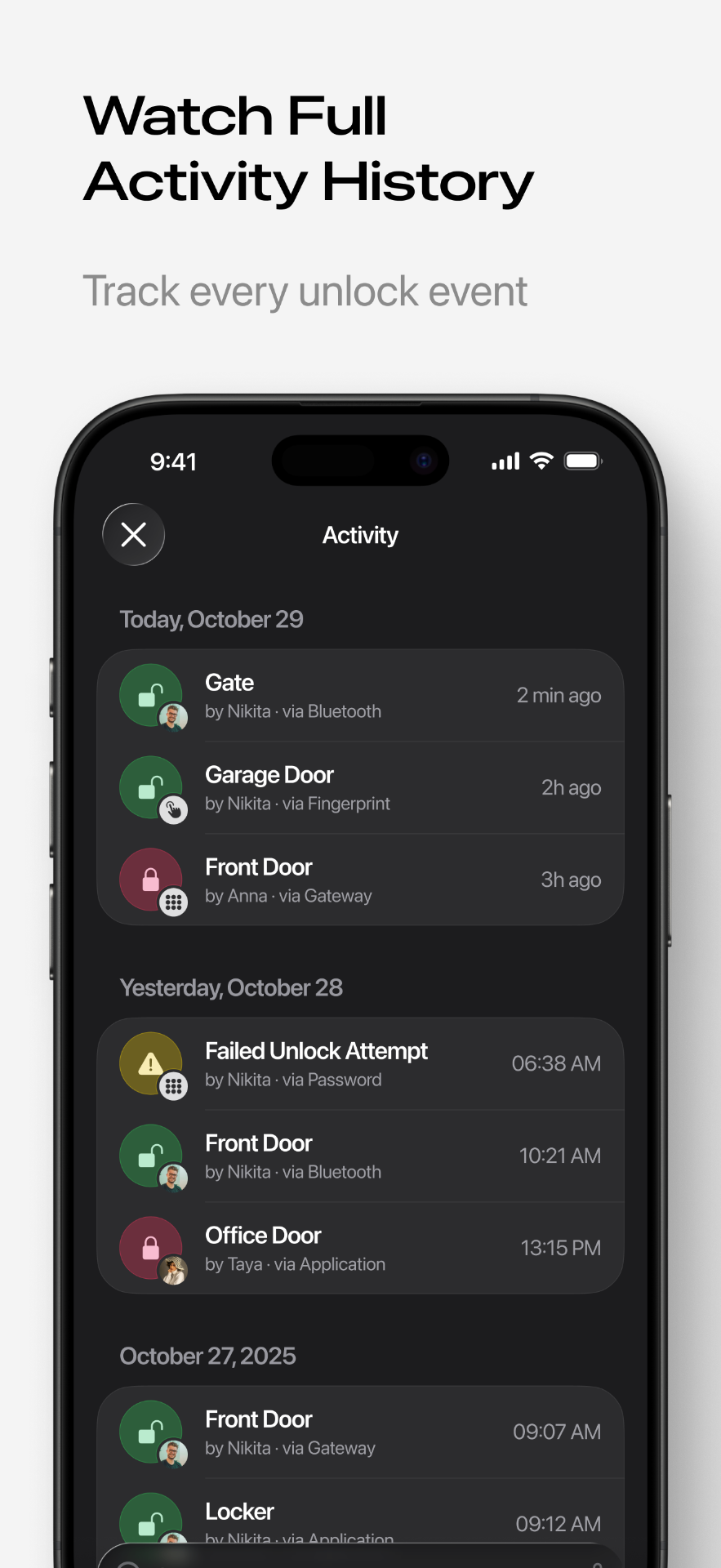
Every unlock, attributed to a name
The lock itself records every successful (and failed) unlock attempt: the time, the method used, and which credential was involved. Because every passcode and eKey is named when it's created, the log reads like a sentence — "Cleaner code, Tuesday 9:02 AM" — instead of an anonymous list of numbers.
Full event history
See app unlocks, passcode entries, IC card taps and fingerprint scans in one chronological feed per lock.
Filter by user
Narrow the log to a specific person or key name to answer "did they actually come in?" without scrolling through everything else.
How records reach your phone
The lock always logs events locally, even offline. Getting those events into the app happens one of two ways:
- Bluetooth sync — open the Smart Lukko app within range of the lock and it pulls any records stored since your last visit.
- Gateway upload — with a TTLock Wi-Fi gateway paired to the lock, events upload automatically over the internet, so the log (and push notifications) stay current even when you're nowhere near the door.
If your log looks like it's missing recent entries, it's almost always a gateway connectivity issue — see what to do when your gateway goes offline.
Where the log earns its keep
The access log is the record hosts and landlords reach for when something needs confirming: a guest claiming they never got in, a cleaning company disputing hours, or simply wanting peace of mind that only the right passcodes and eKeys were used. It pairs naturally with our office access guide for tracking staff entry and exit times.
Smart Lukko is an independent app for locks using the TTLock platform. TTLock is a trademark of its respective owner; we are not affiliated with or endorsed by it.
Frequently asked questions
- Does the access log work without a gateway?
- Yes, but with a catch: the lock stores unlock records internally, and they upload to your phone over Bluetooth the next time the app is open nearby. With a gateway installed, records upload automatically and appear in the app in near real time.
- Can I see which passcode or eKey was used to unlock?
- Yes. Each entry in the log shows the method used — app eKey, passcode, IC card or fingerprint — along with the name you gave that key or code, so you're not just looking at a timestamp.
- Can I filter the log by a specific person?
- Yes, the access log can be filtered by user or by key/passcode name, so you can quickly pull up every time a specific cleaner, tenant or family member opened the door.
- Can I use the access log as evidence in a dispute?
- The log is a factual record from the lock itself — who, what method, and when. Many hosts and landlords export or screenshot it to resolve disputes about arrival times, missed cleanings, or unauthorised entry. It isn't a substitute for legal advice, but it is a genuine, tamper-resistant timestamp source.
- How far back does the history go?
- The lock keeps a rolling log of recent events in its own memory (capacity varies by model), and once records sync to the app they're kept in your account history for as long as you use Smart Lukko.
- Will I be notified the moment someone unlocks the door?
- With a gateway connected, yes — you get a near-instant push notification per unlock. Without one, you'll see the event once your phone syncs with the lock over Bluetooth.